SMW ROM
Classic Super Mario World Gaming Experience
An SMW ROM is a digital copy of the game data from Super Mario World, the 1990 Super Nintendo platformer. Because its internals are unusually well documented, that single 512 KB file became the foundation of one of the largest ROM hacking scenes on the internet: level editors, patch formats, custom music tools and assembly libraries are all built around it. This site explains how the file is structured, how headers and checksums work, how BPS and IPS patches are applied, and which emulators and flash carts run the result. No game files are hosted here — you supply your own legally obtained copy.
- Independent fan resource
- No ROM files hosted or linked
- Patching & emulator guides
Easy to understand
Plain-language explanations of headers, checksums, regions and patch files, written for people who have never opened a hex editor and do not want to start with jargon.
Feature focused
Walkthroughs of what the SMW ROM hacking toolchain actually does — level editing, graphics, music insertion, custom sprites and assembly patches.
Updated resources
Tooling in this scene changes. Pages here track the formats and utilities that are currently in common use rather than advice that stopped being true a decade ago.
User friendly
Short paths for beginners who only want to play a hack, and deeper notes for people who want to build one. Skip whichever half does not apply to you.
What Is SMW ROM?
SMW ROM is shorthand for a read-only memory image of Super Mario World, the launch-era platformer Nintendo released for the Super Famicom in November 1990 and for the Super Nintendo shortly after. A ROM image is simply the cartridge’s data stored as a file on a computer, usually with a .sfc or .smc extension. Nothing about the file is magic: it holds the game’s code, level data, graphics, music and sound samples in the same layout the original chip used.
Two details matter more than any others when people talk about an SMW ROM. The first is size and mapping. The standard release is a 512 KB (4 Mbit) LoROM image. The second is the copier header: some copies carry an extra 512-byte block at the start, left over from old backup devices. A headered and an unheadered copy of the same game are byte-for-byte different, which is why a patch can refuse to apply even when you are sure you have the right game.
The reason a thirty-year-old file still has an active community is ROM hacking. Over the years people mapped out where levels, tilesets, palettes, sprite behaviour and music live inside the image, then built tools around that knowledge. Lunar Magic opened up level design; later utilities added custom blocks, sprites, music and raw 65c816 assembly. A finished hack is almost never shared as a complete ROM — it is shared as a patch, a small file describing the difference between the original game and the modified one. You apply that patch to a copy you already own, and the patcher produces the playable result on your own machine.
That distinction is the whole legal and practical backbone of the scene. Patches contain only the author’s own changes, so they can be distributed freely. The base game data cannot. Anyone asking where to download an SMW ROM is usually asking the wrong question: the useful question is how to prepare the copy you have so that a patch applies cleanly and the result runs on your emulator or flash cart.
Quick facts
- System: Super Nintendo / Super Famicom
- Released: 1990 (JP), 1991 (NA/EU)
- Typical size: 512 KB — 4 Mbit
- Mapping: LoROM
- Common extensions: .sfc, .smc
- Header: optional 512-byte copier header
- Regions: JP, NA and EU builds differ
- Hack format: BPS or IPS patch, not a full ROM
Check any patch’s readme — authors state which exact base build they targeted.
SMW ROM Features
Level data you can actually edit
Level layouts, screen exits, object placement and tilesets sit in documented regions of the image. Editors read those regions directly, which is why a full custom world can be built without touching a single line of assembly.
Patch based distribution
Hacks travel as BPS or IPS files. A BPS patch stores a checksum of the expected input, so the patcher can tell you immediately whether your base file is the one the author used instead of producing a broken output.
Graphics and ExGFX
Tile graphics are stored in compressed banks. Tools can decompress, replace and re-insert them, and the ExGFX system lets hacks add extra graphics banks beyond the original slots for new tilesets and sprites.
Custom music insertion
The SPC700 sound engine can be extended with new songs and samples through community tools. Inserted music usually costs ROM space and sometimes requires expansion, which is why some hacks ship larger than the original file.
Assembly and expansion chips
Patches written in 65c816 assembly change game behaviour directly. Some hacks apply the SA-1 patch to borrow the extra processing of that expansion chip, which reduces slowdown but narrows emulator compatibility.
Testing and verification
Because every change is measurable, hacks can be verified: compare checksums, confirm the patched output boots, and test on an accurate emulator before assuming a bug belongs to the hack rather than the setup.
How SMW ROM Works
Supply a base ROM
Step 01. Everything starts with a copy of the original game that you own. The patch is only a set of differences; it cannot produce a game on its own.
Match header and region
Step 02. Confirm whether your file is headered or unheadered and which regional build it is. Most patches target a specific combination and will refuse anything else.
Apply the patch
Step 03. A patcher such as Floating IPS reads your base file plus the BPS or IPS patch and writes a new, separate output file. Your original stays untouched.
Run and test
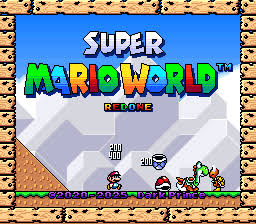
Step 04. Load the output in an emulator or flash cart. If the title screen shows the hack's own branding, the patch applied to the file it was designed for.
Why People Search for SMW ROM
Searches for SMW ROM come from people at very different stages. Some have just discovered that Super Mario World has a modding scene and want to understand what a ROM even is. Others already downloaded a hack, hit a checksum error, and want to know why the patcher rejected their file.
Grouping those intents is useful, because the answers are not interchangeable. A player who only wants to try one hack needs three paragraphs. Someone planning to build a full world needs documentation on graphics banks, sprite tools and assembly. Both are legitimate reasons to be here, and neither is served by a page that just repeats the keyword.
The list on the right covers the questions that come up most often. Each one is answered somewhere on this page, and the FAQ near the bottom goes into more detail.
- Understanding what a ROM image actually contains
- Which features SMW ROM hacks can and cannot change
- Whether a patch is compatible with their copy
- How to apply BPS and IPS patches correctly
- Keeping saves when a hack is updated
- Fixing crashes, glitched tiles and slowdown
- Running patched games on original hardware
- Where the legal line sits on game files
SMW ROM Compatibility
Desktop emulators
Snes9x is the common starting point and runs the large majority of hacks. bsnes and Mesen-S aim for higher accuracy and are the better choice when a hack behaves oddly elsewhere.
RetroArch cores
The bsnes and Snes9x cores cover most needs inside RetroArch. Core choice matters: an inaccurate core can introduce audio or timing problems that the hack itself does not have.
Original hardware
Flash carts such as the FXPak Pro load patched files on a real console. Support for hacks using expansion chips depends on the cart's firmware, so check its documentation.
Mobile devices
Android and iOS emulators exist and many run Super Mario World comfortably. Accuracy varies widely between apps, and some hacks are noticeably more demanding than the base game.
SA-1 and expansion patches
Hacks that apply SA-1 need an emulator or cart that emulates that chip. Older or lightweight emulators may boot such a hack and then fail later, which looks like a hack bug but is not.
Regional builds
Japanese, North American and European releases differ internally. A patch built for one region will not apply cleanly to another, and readme files normally state which was used.
Note: requirements vary by version. A hack that ran on your emulator last year may have added an expansion patch since. When something stops working after an update, re-read the release notes before changing your setup.
How to Use SMW ROM
Identify what you have
Step 1. Check the file size of your copy. Roughly 512 KB suggests no header; 512 KB plus 512 bytes suggests one is present. Note the region too.
Work on a duplicate
Step 2. Copy the file into a separate working folder. Every patch you try should start from that untouched duplicate rather than from an already patched output.
Unpack the hack
Step 3. Extract the archive you downloaded. Inside you should find a .bps or .ips file and a readme stating the intended base build and any emulator requirements.
Run the patcher
Step 4. Open Floating IPS or a similar tool, choose the patch, choose your base copy, then save the result under a new name so the original is never overwritten.
Configure the emulator
Step 5. Point your emulator at the patched output. Set controls and, if the hack asks for an accurate core, switch to one before deciding something is broken.
Manage saves and updates
Step 6. Save files usually sit beside the game file and follow its name. Keep them when updating, but expect that major hack revisions can invalidate old saves.
How to Install SMW ROM
Requirements
A legally obtained copy of the original game, the hack's patch file, and a patching utility that supports its format. Everything else is optional. No installer or system changes are involved — patching only reads and writes files in a folder you choose.
Preparation
Put the base copy and the patch in one folder. Confirm the header state and region against the readme. If the patch is BPS, the patcher will verify the input automatically; if it is IPS, nothing is verified and a mismatch produces silent corruption.
Applying the patch
Open the patcher, select the patch, select the base file, then write the output to a new name. Keep the original untouched so you can retry. Most tools finish in under a second; a long delay usually means the wrong file was selected.
Configuration
Load the output in your emulator. If the hack names a specific emulator or core, use that one first. Check the readme for anything unusual such as required expansion support or recommended video and audio settings.
Verification
Boot the game. A hack that applied correctly shows its own title screen and first level. Corrupted tiles on the very first screen almost always point to a header or region mismatch rather than a problem with the hack itself.
Updating
New versions are released as fresh patches, not upgrades. Apply the new patch to your clean base copy again, never to a previously patched file, and keep the old output until you have confirmed your saves still behave.
Platform differences: the steps above are identical on Windows, macOS and Linux, and the common patchers exist for all three. On mobile, patching is usually done on a computer first and the finished file transferred across. Original hardware adds one step: copying the output to the flash cart’s storage.
The Most Documented Cartridge on the SNES
Thirty years of collected knowledge
Very few commercial games have been reverse engineered as thoroughly as Super Mario World. Level formats, sprite tables, palette layouts, compression routines and music engine internals have all been mapped and re-mapped by hobbyists, and the findings were written down rather than kept private.
That is why a beginner can open a level editor and immediately move a pipe, while an experienced hacker can rewrite sprite behaviour in assembly in the same file. The SMW ROM is not special because of what Nintendo put in it — it is special because of how completely the community has described it since.
The practical consequence for you: when something goes wrong, an answer almost certainly exists. Error messages from patchers, unexpected tile garbage and audio corruption are all well-trodden ground.
Editors first
Visual level editing removed the need to understand the file format before making anything, which is the single biggest reason the scene grew.
Tool ecosystem
Separate utilities handle blocks, sprites, music and assembly, so each part can improve without breaking the others.
Shared standards
Patch formats, readme conventions and testing habits are broadly agreed on, which keeps hacks portable between setups.
Written documentation
Address maps, tutorials and archived forum threads mean most questions already have a recorded answer somewhere.
SMW ROM Comparison
Level design
Unmodified: 96 exits across the original overworld.
Patched hack: entirely new levels and overworlds, with length and difficulty set by the author.
Graphics
Unmodified: original tilesets and palettes.
Patched hack: replaced or extended graphics via ExGFX, though the SNES colour and tile limits still apply.
Music
Unmodified: the original soundtrack.
Patched hack: custom songs and samples where the author inserted them; many hacks keep the original music.
Behaviour and physics
Unmodified: stock sprite and physics code.
Patched hack: new sprites, blocks and mechanics through assembly patches, which is where the largest differences appear.
Performance
Unmodified: built to run within the console's limits.
Patched hack: heavy custom content can cause slowdown unless the author applies an expansion patch such as SA-1.
What you supply
Unmodified: your own copy of the game.
Patched hack: the same copy plus a freely shared patch file. The hack alone is never a complete game.
Highlights and Considerations
SMW ROM highlights
Things to consider
- Exceptionally well documented internals, so help is easy to find
- Patch based sharing keeps hack downloads small and legal to distribute
- Mature tools cover level design, graphics, music and assembly
- Runs on almost any modern device through emulation
- BPS patches verify your base file before writing anything
- Original file is never modified, so mistakes are cheap to undo
- You must already own the game; base files are not distributed here
- Header and region mismatches are the most common source of failure
- IPS patches do not verify input, so errors can pass unnoticed
- Heavy hacks may need an accurate emulator or expansion chip support
- Saves do not always survive a hack update
- Tool documentation assumes some technical patience
Common SMW ROM Problems & Solutions
Patch refuses to apply
Likely reason: the base file does not match the checksum the patch expects.
Try: confirm the region, then toggle the header state and retry. BPS patches name the mismatch explicitly, which makes this quick to test.
Header mismatch corruption
Likely reason: an IPS patch was applied to a file with the wrong header state and wrote to shifted offsets.
Try: discard the output, fix the header on a fresh copy, patch again.
Wrong regional build
Likely reason: the patch targets a different release than the one you hold.
Try: check the readme for the intended region and use a matching copy. Regional builds are not interchangeable.
Crashes or garbled graphics
Likely reason: an emulator too inaccurate for the hack's assembly or expansion requirements.
Try: switch to an accuracy-focused emulator or core before assuming the hack is at fault.
Slowdown and audio stutter
Likely reason: heavy custom content, or host performance and audio buffering.
Try: test the unmodified game first. If that also stutters, the cause is your setup rather than the hack.
Saves disappear after an update
Likely reason: the save file name no longer matches the game file, or the new version changed its save layout.
Try: rename the save to match, and keep the previous output until you confirm progress carries over.
SMW ROM Tips & Best Practices
Keep one pristine base copy
Store an untouched copy in a folder you never patch into, and work from duplicates. It turns a failed patch into a thirty-second retry instead of a hunt for a clean file.
Read the readme before patching
Nearly every avoidable failure is described in the archive you already downloaded: base build, header state, emulator requirements and known issues.
Name output files clearly
Include the hack name and version in the filename. When four patched files sit in one folder, guessing which is which wastes more time than typing it did.
Prefer BPS when offered a choice
BPS verifies the input and reports mismatches immediately. IPS applies blindly, so a wrong base file produces a broken game with no warning at all.
Test on an accurate emulator
Before reporting a bug, retry on a high-accuracy emulator. A surprising share of reported hack problems are emulator behaviour rather than hack behaviour.
Back up saves before updating
Copy the save file somewhere safe before applying a new version. Updates occasionally change the save layout and old progress is not always recoverable.
Complete SMW ROM Guide
What the file is, precisely
A ROM image is a byte-for-byte record of what was on the cartridge. For Super Mario World that means roughly 512 kilobytes containing program code for the 65c816 processor, compressed graphics banks, level and overworld data, palettes, and the music engine with its samples. When an emulator loads the file it presents those bytes to a simulated SNES; nothing is installed and nothing is translated.
The optional 512-byte copier header is the detail that trips up most newcomers. It was added by old backup hardware and carries no game data, but its presence shifts every byte after it. Patch tools care deeply about this, which is why the same patch can work perfectly for one person and fail for another holding what looks like an identical file.
Who this is for
Three groups, broadly. Players who want to try a hack and need the shortest correct path. Aspiring hackers who want to know what is editable before committing time. And people preserving or studying the game who need accurate technical detail rather than enthusiasm. The material below is ordered so the first group can stop early.
What you can change
Level layouts, overworld maps, graphics, palettes, music, sprite behaviour, physics constants and text are all reachable. The hard limits are the console’s: colour depth, sprite counts per scanline, audio memory and available ROM space. Expansion patches such as SA-1 relax some processing constraints but change compatibility requirements in exchange, so authors weigh that trade-off deliberately.
Requirements and compatibility
For playing a hack you need your own base copy, a patcher and an emulator. For building one you also need a level editor and, depending on ambition, tools for blocks, sprites, music and assembly. Compatibility is layered: the patch must match your base file, and the resulting game must match your emulator’s capabilities. Failures at the first layer are loud; failures at the second are quiet and show up as glitches later in a level.
Updating and maintenance
Hacks are revised. New versions arrive as complete replacement patches applied to the original clean base, never stacked onto an earlier output. Keep the clean copy, keep your saves backed up, and note which version you were playing — bug reports without a version number are difficult for anyone to act on.
Troubleshooting mindset
Work from the outside in. Confirm the base file first, then the patch, then the emulator, then the hack. Most people start at the last step and change emulator settings to fix a problem created two steps earlier. If the unmodified game runs correctly on your setup and the patch applied without a checksum warning, remaining problems are genuinely worth reporting to the hack’s author.
Considerations worth stating plainly
Super Mario World is copyrighted. Patches are the author’s own work and are freely shared; the game data is not, and this site does not host, mirror or link to it. Rules about copying software you own differ between countries and this is not legal advice — if that matters for your situation, check the position where you live. The practical guidance here assumes you already have a legitimate copy and want to use it well.
Where to go next
If you are only playing, the installation and troubleshooting sections above cover almost everything. If you are building, start with a level editor on a throwaway copy and make one small change before reading anything about assembly. Momentum beats theory at the beginning.
SMW ROM Download & Resources
Before you download anything: use reputable, well-known community sources for patches and tools, check the stated base build and version before applying a patch, and keep your own clean copy of the original game. Files offered from unknown sites are a common way to pick up something you did not want.
SMW ROM Frequently Asked Questions
SMW ROM refers to a ROM image of Super Mario World, the Super Nintendo platformer released in 1990. A ROM image is the cartridge’s data stored as a file, normally around 512 KB with a .sfc or .smc extension. It is the base that ROM hacks are applied to, and it is the file emulators and flash carts load in order to run the game.
An emulator reads the file and simulates the SNES hardware that would have executed it: the processor, video and audio chips, and cartridge mapping. Nothing is installed. When a hack is involved, a patch file is first applied to the base image to produce a modified copy, and the emulator then runs that output exactly as it would run the original.
From a hacking perspective the important ones are editable level and overworld data, replaceable graphics through the ExGFX system, custom music insertion, custom blocks and sprites, and direct 65c816 assembly patching. Distribution through BPS and IPS patches is the feature that makes sharing modifications practical without sharing the game itself.
Playing a hack is straightforward: apply a patch with a small utility and open the result in an emulator, which takes a few minutes the first time. Creating a hack is a longer learning curve, though visual level editors let you make meaningful changes on day one without understanding the underlying file format.
Windows, macOS and Linux computers through emulators such as Snes9x, bsnes and Mesen-S; Android and iOS through mobile emulators; handheld Linux devices through RetroArch; and original SNES hardware through a flash cart. Support for hacks using expansion chips is narrower and depends on the specific emulator or cart firmware.
There is no installer. You place your own copy of the game and the hack’s patch file in a folder, run a patcher such as Floating IPS, select the patch and then the base file, and save the result under a new name. The output is what you load in your emulator. Your original file is left unchanged throughout.
Apply the new version’s patch to your original clean base copy, not to a previously patched file. Stacking patches produces unpredictable results. Back up your save file first, keep the previous output until you have confirmed the new one works, and note the version number in the filename so you can tell them apart.
The three usual causes are a header mismatch, a regional build the patch was not written for, and an emulator too inaccurate for the hack. Test in that order. If the unmodified game runs correctly and a BPS patch applied without a checksum warning, the problem is more likely in the emulator or the hack than in your base file.
Check the file size to infer whether a copier header is present, confirm which regional release you have, and read the hack’s readme for its intended base build, required emulator and any known issues. Also confirm you are patching a duplicate rather than your only copy, so a mistake costs nothing.
Yes, and this is a frequent surprise. A hack may add an expansion patch, change its base requirements or raise its emulator accuracy needs between releases. A setup that ran version one may not run version three. Release notes normally state this, so read them before assuming your configuration is at fault.
Established community sites host patches, tools and documentation, and they are the sensible place to look for editors, patchers and tutorials. This site does not mirror or link to game files. When choosing a source, prefer long-running community archives over unfamiliar download portals bundling extra software.
Work outward from the base file. Verify the base copy, then the patch application, then the emulator, then the hack itself. Change one variable at a time and keep notes. Most reports that look like hack bugs turn out to be a header state or an emulator that does not implement something the hack relies on.
Nothing is installed, so uninstalling simply means deleting the files. Remove the patched output and its save file if you no longer want them. Emulators are separate applications and are removed through your operating system as normal. Keeping your clean base copy is worthwhile even if you delete everything else.
Back up the save file, confirm you still have the untouched base copy the patch expects, and read the release notes for save compatibility warnings. Keep the old patched output until the new one is confirmed working. If saves are known to break, decide whether to finish your current playthrough first.
To play a hack you need a patcher and an emulator, both small and free. To build one you also need a level editor and, depending on what you want to change, separate tools for blocks, sprites, custom music and assembly patches. None of it requires a powerful computer by modern standards.
Many hacks display their version on the title screen or in an in-game credits screen, and the readme in the archive you downloaded states it. Keeping the version in the output filename is the simplest habit. For the base game, the region and header state matter more than any version number.
Patches refusing to apply, garbled graphics from a header mismatch, crashes caused by emulator inaccuracy, slowdown in graphically heavy hacks, and saves that do not carry across updates. Each has a recognisable signature, and the troubleshooting section above pairs every one with the first thing worth checking.
Community documentation covers the file format, address maps and tooling in far more depth than any single page can. Start with the guide section on this page for orientation, then move to tool-specific documentation for whichever part you want to work on, whether that is levels, graphics, music or assembly.
No. This is an independent, fan-made information resource. It is not affiliated with, endorsed by or operated by Nintendo or any other rights holder, and it does not host, mirror or link to copyrighted game files. All trademarks and game content belong to their respective owners.
Three things. Keep one pristine base copy and always patch duplicates. Read the readme before you patch, because it answers most failures in advance. And remember that a patch is not a game: it only describes changes, so you supply the original copy yourself. Everything else follows from those habits.
Explore SMW ROM
Start with the installation walkthrough if you have a hack waiting, or read the full guide if you want to understand the file before touching it. Both are on this page, and neither assumes prior experience.